购物车

购物车空

继续购物
总计 $0.00
结算
首页 / News

MLB The Show 26: How to Skip the Intro Game on PS5

作者: U4N
发布日期: Mar 19, 2026
1781

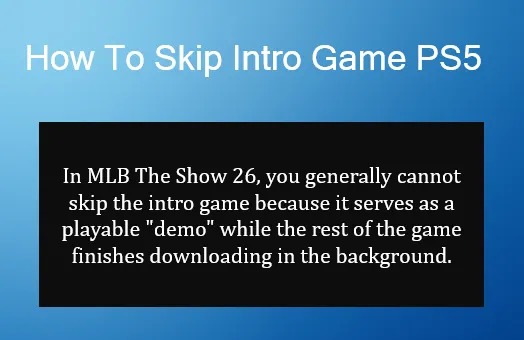
In MLB The Show 26, players are often faced with the intro game, a tutorial match that serves as a "demo" while the game finishes downloading. It can be frustrating if you're eager to dive into the full experience, but there are ways to bypass or speed up the process.
MLB The Show 26: How to Skip the Intro Game on PS5

Why Can't You Skip the Intro Game?

The intro game is necessary because the game often isn't fully installed when you first start it. The PlayStation 5 allows you to start playing once a minimal amount of data is downloaded (around 10GB). However, to unlock the full game, which includes the main menus and features, the complete download (around 52GB or more) needs to finish in the background.

How to Bypass the Intro Game

If you're stuck in the Blue Jays vs. Dodgers intro match and want to get past it quickly, try the following methods:

  1. Wait for Full Installation: The most common reason for being stuck is that the game isn't fully installed. Ensure that the full game is downloaded before attempting to access the main menu. You can monitor the installation progress to confirm if it's fully complete.
  2. Check Installation Progress: Sometimes, a hidden installation progress bar can be seen by pausing and unpausing the game while viewing the scoreboard during the intro match.
  3. Use the Simulation Option: If available, the "Simulate" option can help you bypass the game. Simply pause the match, then select the simulation option to quickly finish the tutorial.
  4. Verify for Updates: Ensure your game and console are up to date. Go to your PS5's "Downloads/Uploads" section to check for any pending updates or patches that might help complete the installation.
  5. Restart the Application: If everything is installed but you're still stuck, close the game completely by pressing the Options button on the home screen icon and selecting “Close Game.” Then restart your PS5 to see if it allows you to proceed.

Once you've navigated through the initial intro game and installation process, you can start building your team and progressing in MLB The Show 26. For those looking to speed up their progress even further, acquiring MLB 26 stubs is essential. With instant delivery services, you can get the MLB 26 stubs you need quickly and reliably. This means you can spend more time enjoying the game and less time waiting for rewards. For a smooth, hassle-free experience, check out trusted sources like U4N for your MLB 26 stubs needs.

Skip Intro Movies and Tutorials After Installation

Once the game is fully installed and you can access the main menus, you can adjust settings to skip recurring intro elements.

  1. Skip Intro Movies: To skip the intro movie every time you load the game, head to the Settings menu. Navigate to Settings > Interface > Menu and toggle "Skip Introduction Movie" to "On."
  2. Disable Tutorials: Tutorials can be disabled by either completing the initial Diamond Dynasty challenges or by pressing the Back (Circle) button during tutorial prompts. This should stop the tutorials from popping up in every game.
上一个 下一个

作者简介:U4N

U4N是一家领先的在线交易平台,提供安全快捷的游戏内物品、货币、账号和代练服务交易。U4N涵盖众多热门游戏,为玩家提供可靠的服务,包括快速发货和认证卖家,确保流畅安全的游玩体验。

相关文章