

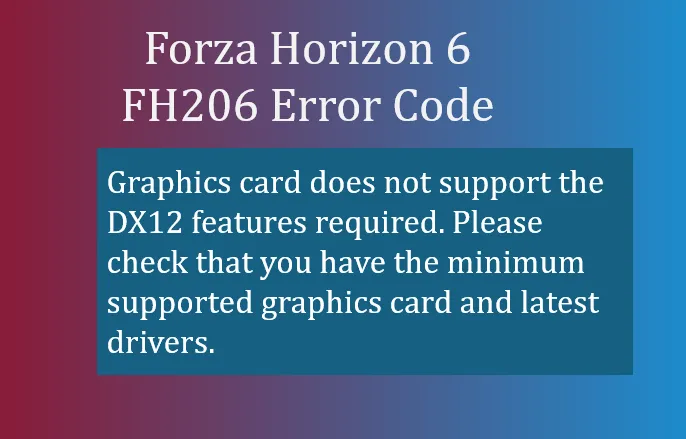
If you're trying to launch Forza Horizon 6 and see the FH206 error code, it usually means your game is hitting a roadblock right at startup. From a player's perspective, it's frustrating because the game won't even get to the main menu. The error itself is straightforward:
- Graphics card does not support the DX12 features required. Please check that you have the minimum supported graphics card and latest drivers.
FH206: Graphics card does not support the DX12 features required. Please check that you have the minimum supported graphics card and latest drivers.
In simple terms, your GPU either isn't capable of handling DirectX 12 at the level Forza Horizon 6 needs, or there's a software conflict blocking it from initializing properly.
Why FH206 Happens
When you run FH6, the game relies on DirectX 12 to deliver high-fidelity graphics, ray tracing effects, and smooth frame rates. If your graphics card is too old, lacks DX12 hardware support, or if your drivers are outdated, FH206 will appear. Even if your GPU technically supports DX12, outdated drivers or certain audio/virtual devices can trigger the crash before the game fully launches.
How to Fix FH206
Here's a player-tested approach to get past FH206:
- Update Your Graphics Drivers
Go directly to your GPU manufacturer's website—NVIDIA, AMD, or Intel—and download the latest driver for your model. Installing the newest driver often resolves missing DX12 features or initialization conflicts. - Verify DirectX 12 Support
- Press Windows + R, type dxdiag, and press Enter.
- In the DirectX Diagnostic Tool, check your system's DirectX version at the bottom of the System tab.
- Switch to the Display tab to confirm your GPU supports Feature Level 12_0 or higher.
- Disable Conflicting Audio Drivers
Some NVIDIA audio devices can interfere with DX12 initialization:- Open Device Manager → expand Sound, video and game controllers.
- Right-click NVIDIA High Definition Audio and NVIDIA Virtual Audio Device, then choose Disable.
- Restart your PC and try launching the game.
- Adjust V-Sync and FPS Settings
If the game starts briefly before crashing:- Disable V-Sync and any in-game FPS limits.
- Use your GPU's control panel to cap the framerate externally. This bypass can stabilize the launch sequence.

When You Might Need a Hardware Upgrade
If your graphics card physically lacks DirectX 12 support (common in older GPUs), software fixes won't help. For players who want to enjoy FH6 at its intended settings, upgrading to a GPU that fully supports DX12 Feature Level 12_0 or higher is necessary.
For players struggling with FH206, these steps usually resolve the issue without reinstalling the game. Keep your drivers current and verify DX12 support to avoid this error in the future.
Once you've fixed FH206, you're ready to hit Japan's roads in Forza Horizon 6, from Tokyo city streets to Alpine mountain passes, without crashes stopping the fun.